
 Once fully installed open BubbleUPNP. Press the 3 vertical dots to access BubbleUPNP’s settings
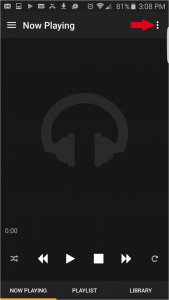 Next select Renderer to see the a list of available rendering devices
 Find your Bridge 2 in the list of renderers. In our example our Bridge 2 is named “ENG BRDG 2”
 Select the Library link at the bottom of the application. In the list of options under Cloud is the link to Tidal
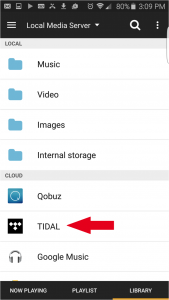 After selecting Tidal it will ask for your Tidal account info. (See Fig 6) You will need to have an active account with Tidal before entering in your account info. http://tidal.com/us
 Now it is as simple as searching for your desired artists, develop a playlist and enjoy.
0 Comments
Loading comments...