
 4) Click on Recording Options
5) Select DSF or DFF, and then click on DSF (or DFF) Options
4) Click on Recording Options
5) Select DSF or DFF, and then click on DSF (or DFF) Options
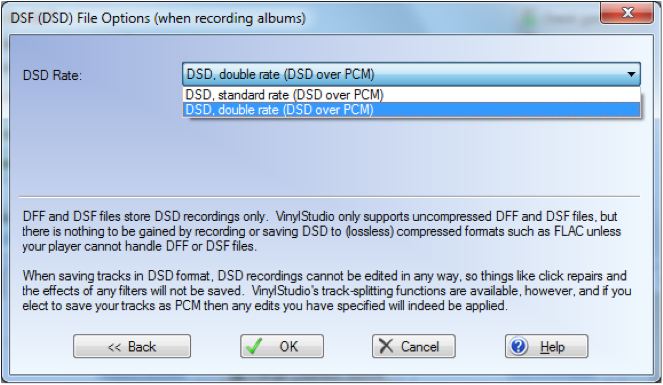
 6) In the file options menu choose standard or double rate. Click on OK
 7) Back on the Home Screen Click on the Check Level Button
8) Select ASIO, PS Audio USB Driver, and Single or Double Rate DSD consistent with your choice in the previous window
7) Back on the Home Screen Click on the Check Level Button
8) Select ASIO, PS Audio USB Driver, and Single or Double Rate DSD consistent with your choice in the previous window
 9) You can now adjust the Monitor Volume, and Playback Device based on what is appropriate for your system. Start your audio source before adjusting the volume. When correct, click on Close
10) Restart your audio source and on the Home Screen Press record.
9) You can now adjust the Monitor Volume, and Playback Device based on what is appropriate for your system. Start your audio source before adjusting the volume. When correct, click on Close
10) Restart your audio source and on the Home Screen Press record.
0 Comments
Loading comments...